
Should I move up to Max? It is the question I get asked most about Claude, and the honest answer is that no comparison table is going to settle it for you. The plans differ by limits, and a limit only means something set against how much you personally use. So the pricing is the second question. The first one is your own usage, and checking it takes about a minute.
Where the number lives
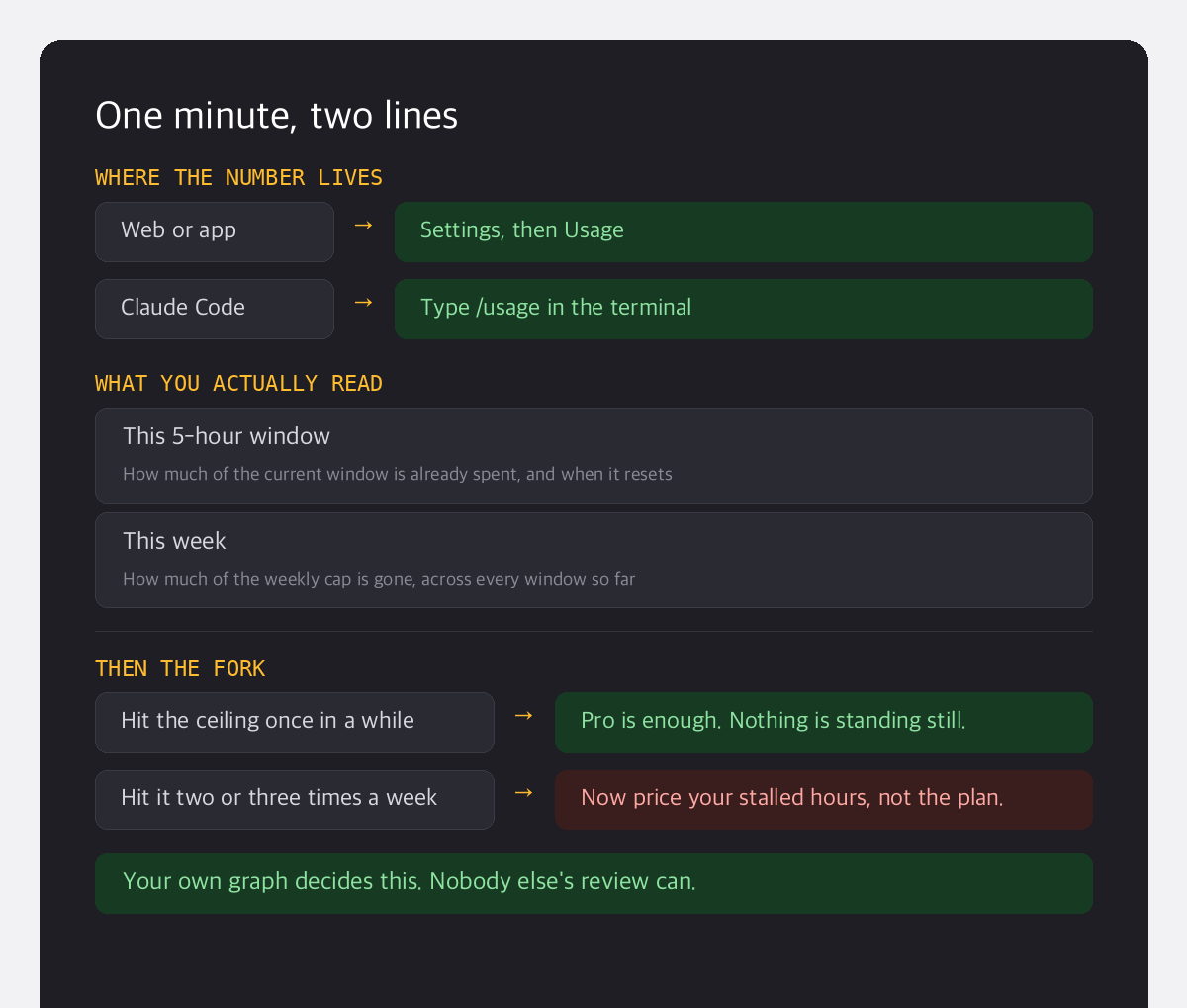
There are two ways to open the meter, and which one you want depends on where you work:
- On the web or in the app, open Settings and go to Usage. It shows how much of your current window you have spent and when it resets.
- In Claude Code, type
/usagein the terminal. The limit meters print straight into the session, faster than clicking through settings.
That second screen is the one most people are actually hunting for when they go searching for how to check their token usage. It is not hidden anywhere. It just has a plain name.
Two lines are all you read
Claude limits run on a rolling five-hour window, and above that sits a weekly cap. Which means there are only two lines on that screen worth your attention: how much of the current window is gone, and how much of the week is gone. If the weekly line is already climbing hard on a Tuesday, you have your answer forming in front of you.
Max pricing, in two steps
| Plan | Limits | Price per month | Who it is for |
|---|---|---|---|
| Pro | Baseline | $17 annual / $20 monthly | An hour or two of Claude a day |
| Max 5x | 5 times Pro | $100 | You get stopped most weeks |
| Max 20x | 20 times Pro | $200 | Claude is where the workday happens |
Pro is $17 a month on annual billing, so Max 5x is roughly five times the money for five times the room. Read as a number on its own, it looks expensive. That was my first reaction to it as well.
The test is how often you get stopped
Once you have looked at your usage, one question is left. How many times in a week do you hit the ceiling? If it is the occasional Friday afternoon, Pro is doing its job and you should stay where you are. If you are seeing the limit notice two or three times a week, stop pricing the plan and start pricing your own time. Waiting for a window to reset is not free, because the work stands still while you wait. The moment stalled work costs more than the gap between two plans, the upgrade has already paid for itself.
I am on 20x, and that is not a recommendation
I work inside Claude all day, so for me the limit is simply the size of my workday. I moved up at the point where my usage graph was hitting the ceiling daily rather than now and then. Someone using it an hour or two a day has no business starting at Max. Buying seats for a team is a different question again, and I have written separately about how I split those across four companies. The reason I am pointing you at the meter is so you can stop reading other people's verdicts and read your own graph instead. And if you do move up and it turns out not to be worth it, the refund and cancellation rules are worth knowing before you subscribe rather than after.
The usage screen answers the pricing question better than the pricing page does.
So that is the exercise. One minute in Settings, or one line in the terminal. One more minute counting how often you were stopped this week. Those two numbers tell you whether Max pricing is money spent or money made, and they are yours rather than anyone else's. How many times did your graph hit the ceiling this week?