You pay for Claude and then something changes. The limits fill up faster than you expected, or the opposite happens and you barely open it. So you go looking for how to cancel and how to get the money back, and the results are surprisingly thin. I pay for Claude across four companies, which meant reading these rules before subscribing rather than after. Here is what the official policy actually says, and where the one line that matters sits.
Start with the bad news: payments are non-refundable
Claude's stated position is that payments are non-refundable except where the terms or the law require otherwise. There is one clear legal exception. If you live in the EEA or the UK, you have a 14-day withdrawal right after purchase, with a deduction for what you have already used. Most of the world sits outside that exception. So read the rest of this as how to ask properly and how to make sure nothing goes out next month, rather than as a way to make a refund happen.
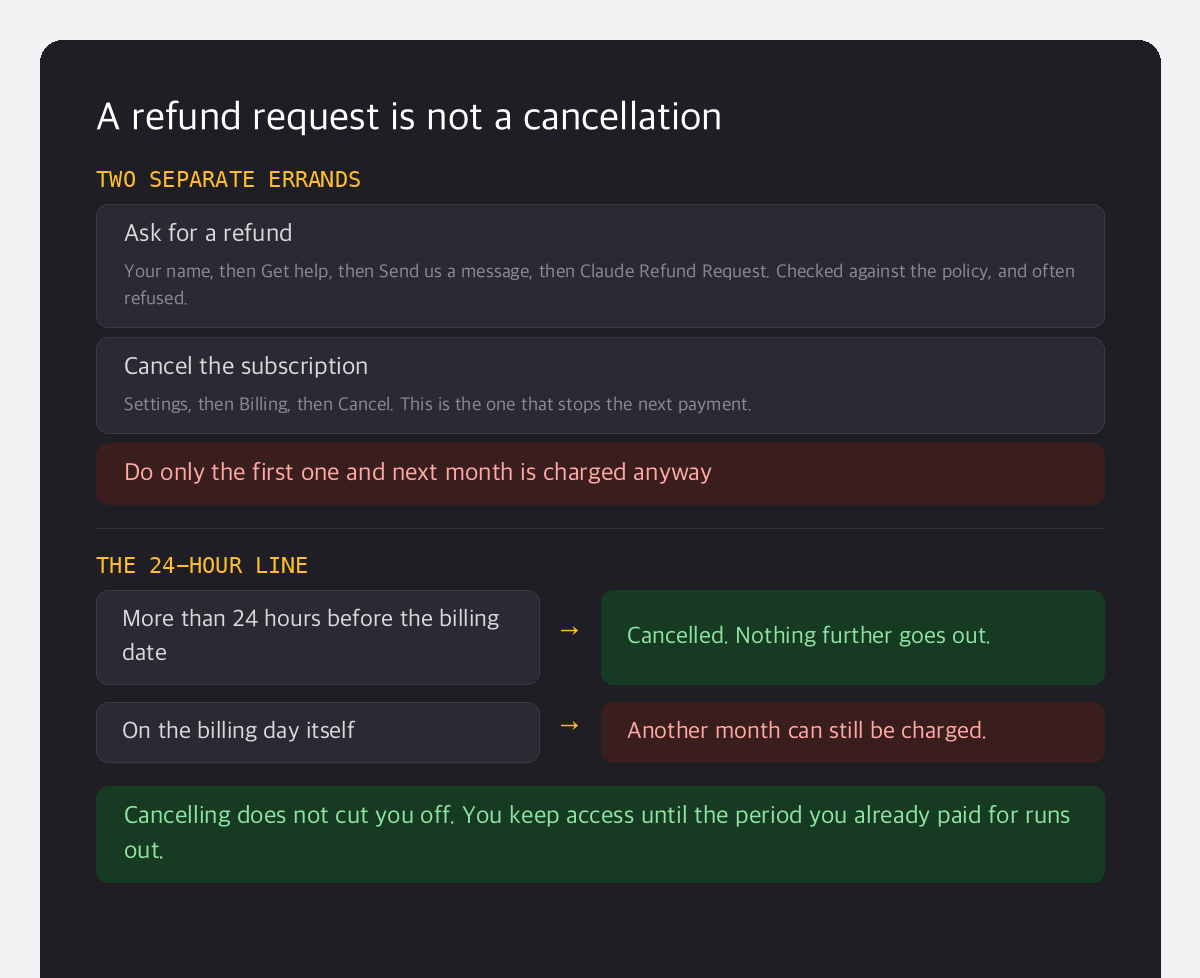
How to ask for a refund
There is still a channel, and genuine cases such as a purchase made by mistake or a duplicate charge do get looked at:
- Sign in to Claude on the web and click your name in the bottom left corner.
- Choose Get help, then Send us a message.
- Pick Claude Refund Request from the list of topics.
- Select your reason. It tells you whether you are eligible right there.
Then comes the part that catches people out. Requesting a refund does not cancel your subscription. Whether the refund is granted or refused, the next payment is still scheduled. Miss that and you are back in the same search results a month later, this time with two charges to explain.
Where you ask depends on where you paid
| Where you paid | Where to ask | Who decides |
|---|---|---|
| Claude on the web | Your name, then Get help | Claude |
| App Store | reportaproblem.apple.com | Apple |
| Google Play | Claude support, with your order number | Claude |
If you subscribed through the App Store, Claude cannot process it at all. The request goes to Apple and Apple decides. On Android you send Claude support the order number from the purchase and they review it from there. Same product, three different counters.
Cancelling: 24 hours before the billing date
This is the line worth remembering. Cancelling itself is quick: Settings, then Billing, then Cancel. The official guidance is to do it at least 24 hours before your next billing date. Leave it until the billing day and another month can still be charged, which puts you straight back into the refund process you just read about. On a phone the route is your name in the top right, then Billing, then Manage subscription. Cancelling does not lock you out either. You keep access until the period you have already paid for runs out, so if you have decided to stop there is no reason to sit on it.
I check my usage instead of asking for refunds
I have never had a refund from Claude, because I changed the order of things instead. I ran a month on Pro, counted how often I actually hit the limit, and only then moved up. The stricter a service is about refunds, the more the money gets decided before you subscribe rather than after. The usage screen that tells you which plan you need takes about a minute to open, and it is a cheaper minute than any of the ones above.
Refund rules are worth reading before you pay. After you pay, they are just news.
Four lines cover the whole thing. Refunds are the exception rather than the rule. Ask through Get help. If you paid through the App Store, ask Apple. And cancel at least 24 hours before the billing date. That last one is the only part with a deadline attached, which brings me to the question worth answering before you close this page. When is your next billing date?