
More and more people are searching for how to set up Claude skills, and very little of it is written down in one place. I run the repeat work of four companies as skills. Here, in order, is where to click in the settings, what to write in the file, and what I actually handed over.
A skill is one folder. Inside it sits one text file called SKILL.md. You write two things in that file: one line on when to use it, and the steps for how to do it. Most of the time Claude carries only the "when to use it" line. When something I say catches on that line, it opens the full steps and reads them. That is why installing many skills does not make everyday conversations any heavier.
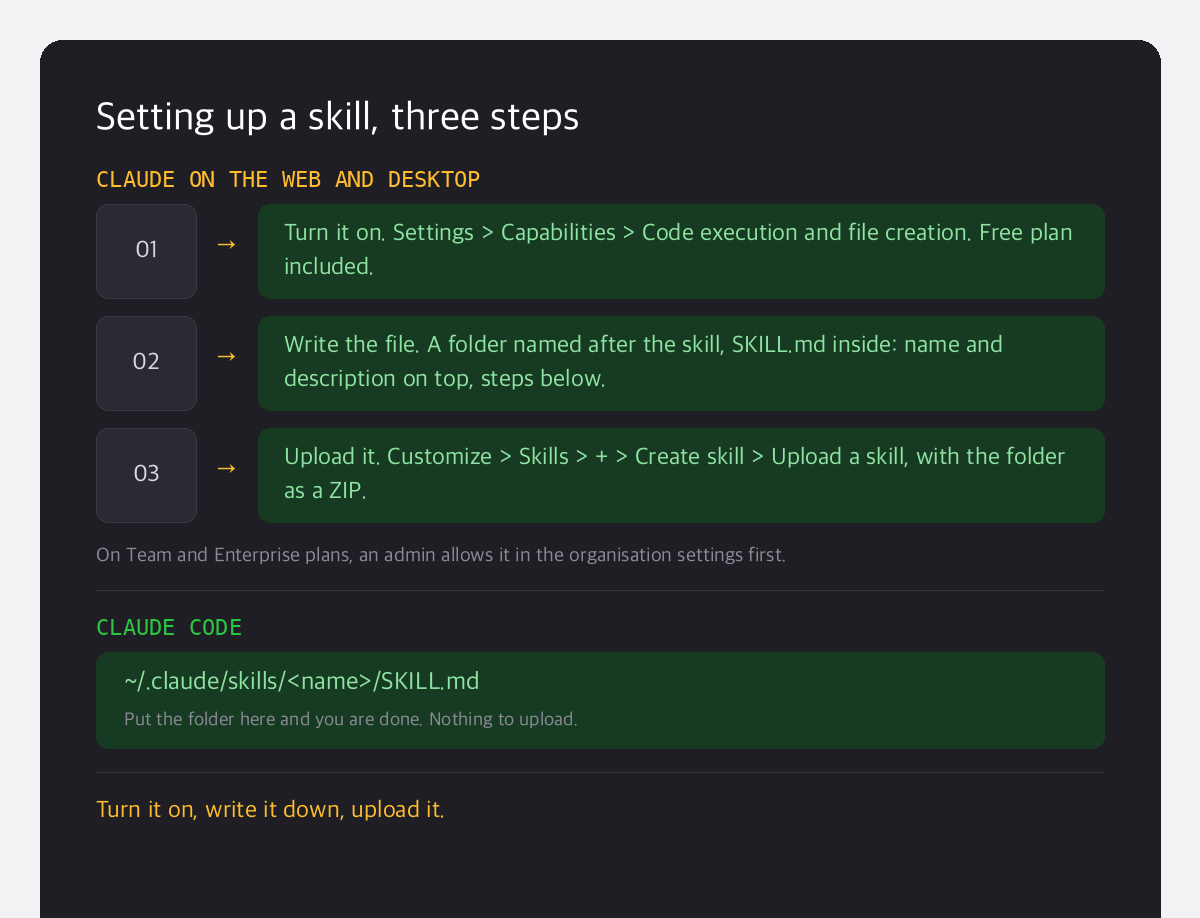
Setup takes three steps
Setting up Claude skills comes down to three steps.
- Turn the feature on. In Settings, under Capabilities, switch on "Code execution and file creation". It works on the free plan too. On Team and Enterprise plans, an admin has to allow it in the organisation settings first.
- Make the skill file. Name a folder after the skill and put SKILL.md inside it. At the top go two lines, the name and the description. Below them go the steps.
- Upload it. In Customize, open Skills, click the + button, then Create skill, then Upload a skill, and upload the folder as a ZIP. If you use Claude Code, there is nothing to upload: put the folder in
~/.claude/skills/on your own computer.
One line of description decides everything
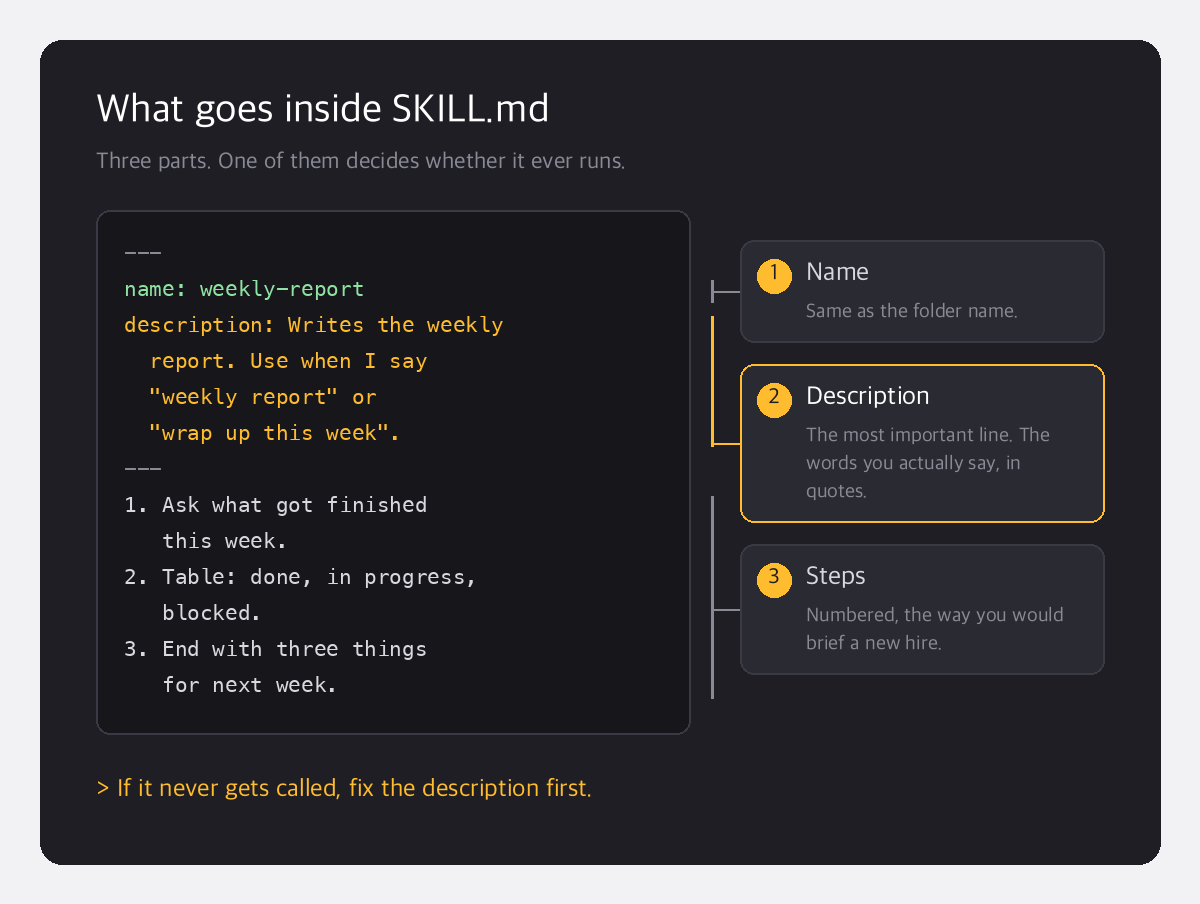
When a skill never gets called, the reason is almost always the description line.
Write only "report helper" and Claude has no idea when to bring it out. I write down, in quotation marks, the words I actually say. If there is one place to spend time when setting up Claude skills, it is this one line. For example:
---
name: weekly-report
description: Writes the weekly report. Use when I say
  "weekly report" or "wrap up this week".
---
1. Ask what got finished this week.
2. Make a table: done, in progress, blocked.
3. End with three things for next week.
I handed over the month-end close
At the end of every month I gather the bank statements, the card statements and the receipts, and close the books. I used to explain the order all over again every time. Now one phrase does it: "let's close". This is what I wrote in the skill.
- First check that all five required inputs have arrived.
- If anything is missing, do not start. Ask for it first.
- When finished, deliver a one-page report.
This month I found a hole. The work was all done, but the item on the screen was never ticked off. The steps had no line saying "tick it off when finished". I added that one line. A skill is not a file you write once and walk away from. It is a document that gains a line every time it gets something wrong.
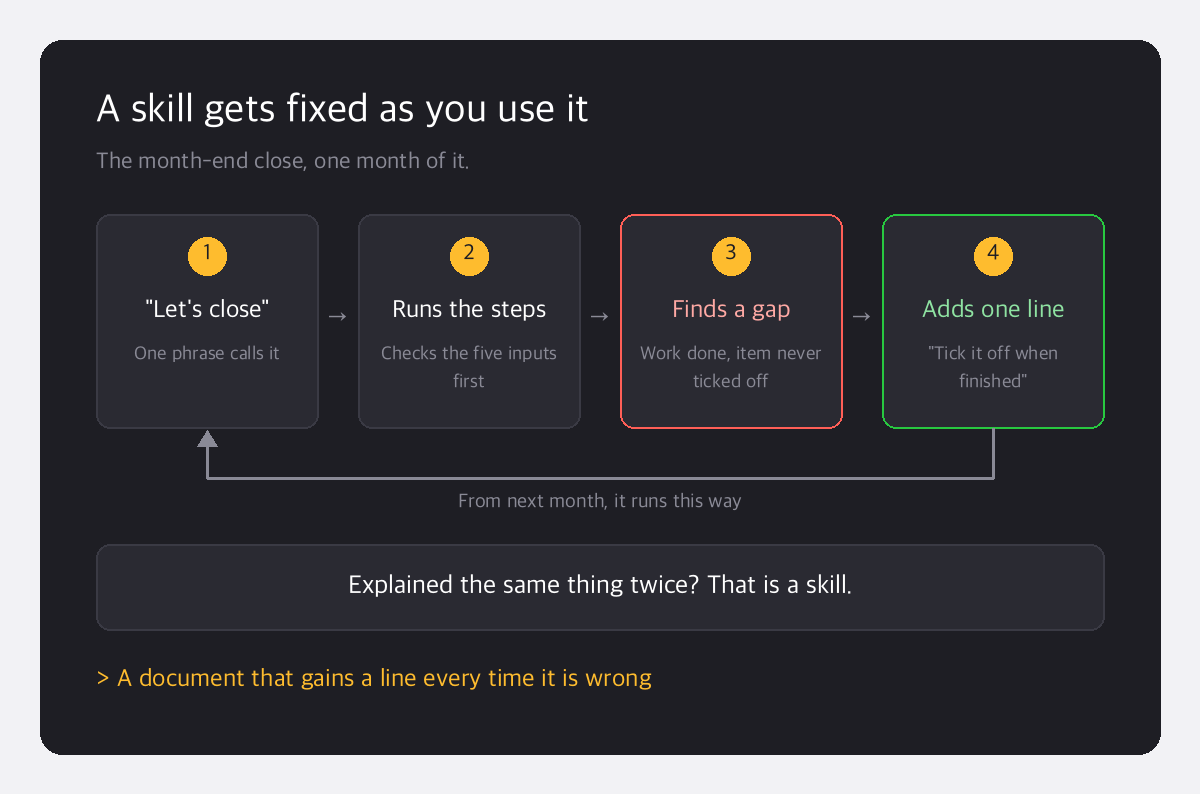
In the end, setting up Claude skills means writing down the work you have already explained twice. If you have given the same explanation twice, that is your next skill.